Getting Started with Backdrop: Setup Guide
Download Backdrop and set up your first AI-enabled sales call in minutes. Install the app, connect your calendar, and get real-time guidance on every call.
Backdrop is an AI sales coach that lives inside your calls. It listens and surfaces the right discovery question, objection handler, or product answer the moment you need it, so you can stay in the conversation instead of scrambling for notes.
Three short steps and you're ready for your first call.
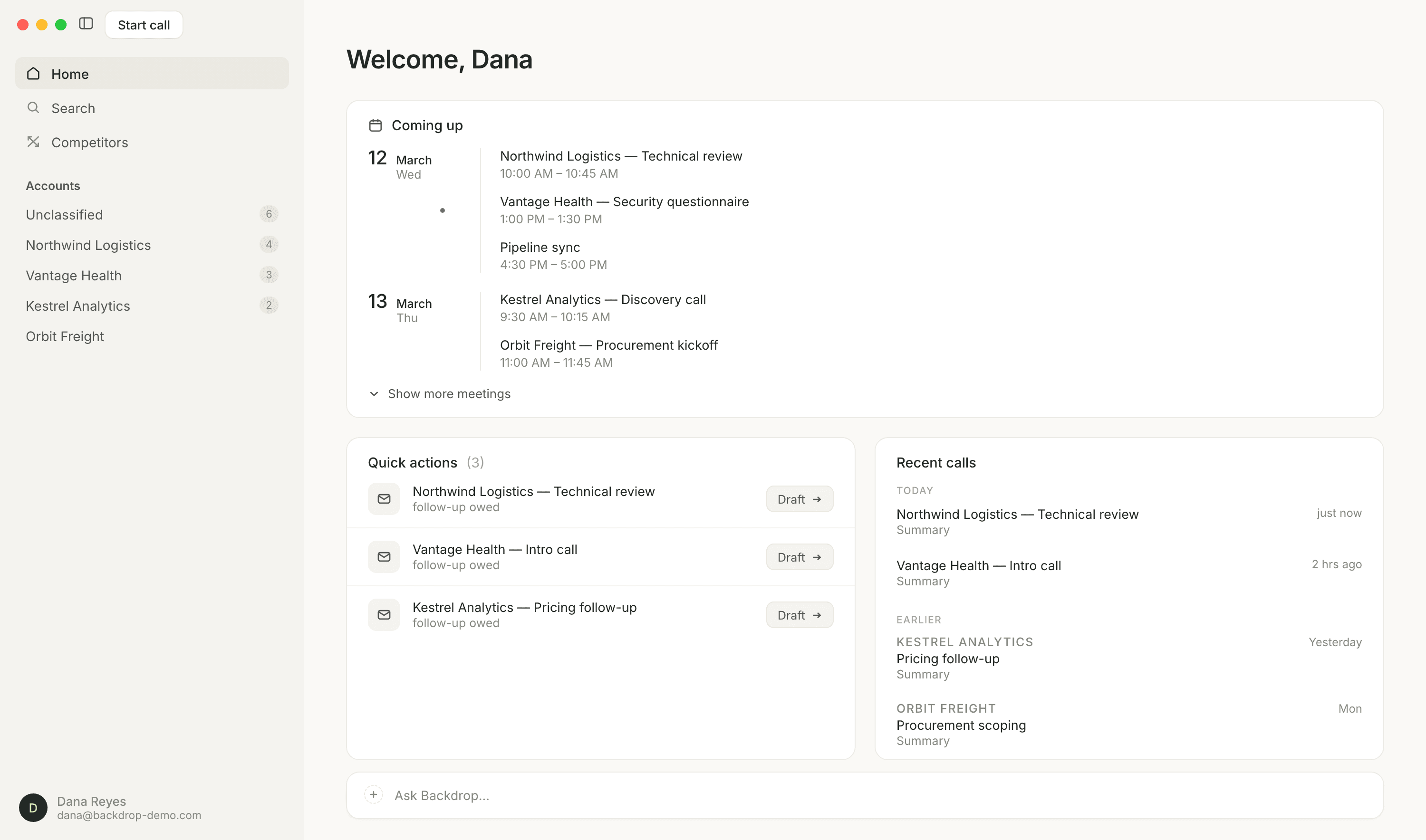
1. Install and sign in
Download from getbackdrop.ai/get. The page detects your OS. On macOS, drag Backdrop into Applications; on Windows, run the installer. Open the app, click Sign up or sign in, and authenticate with Google, Microsoft, or your work email.
Use your work email
Backdrop reads the calendar you take meetings on, so sign in with the account your meetings live in. There's no invite code to wait for.
Full walkthrough: Installing Backdrop
2. Run your first call
Backdrop doesn't auto-start with Zoom or Teams. Open it manually, or wait for the notification when a call begins, then hit record.
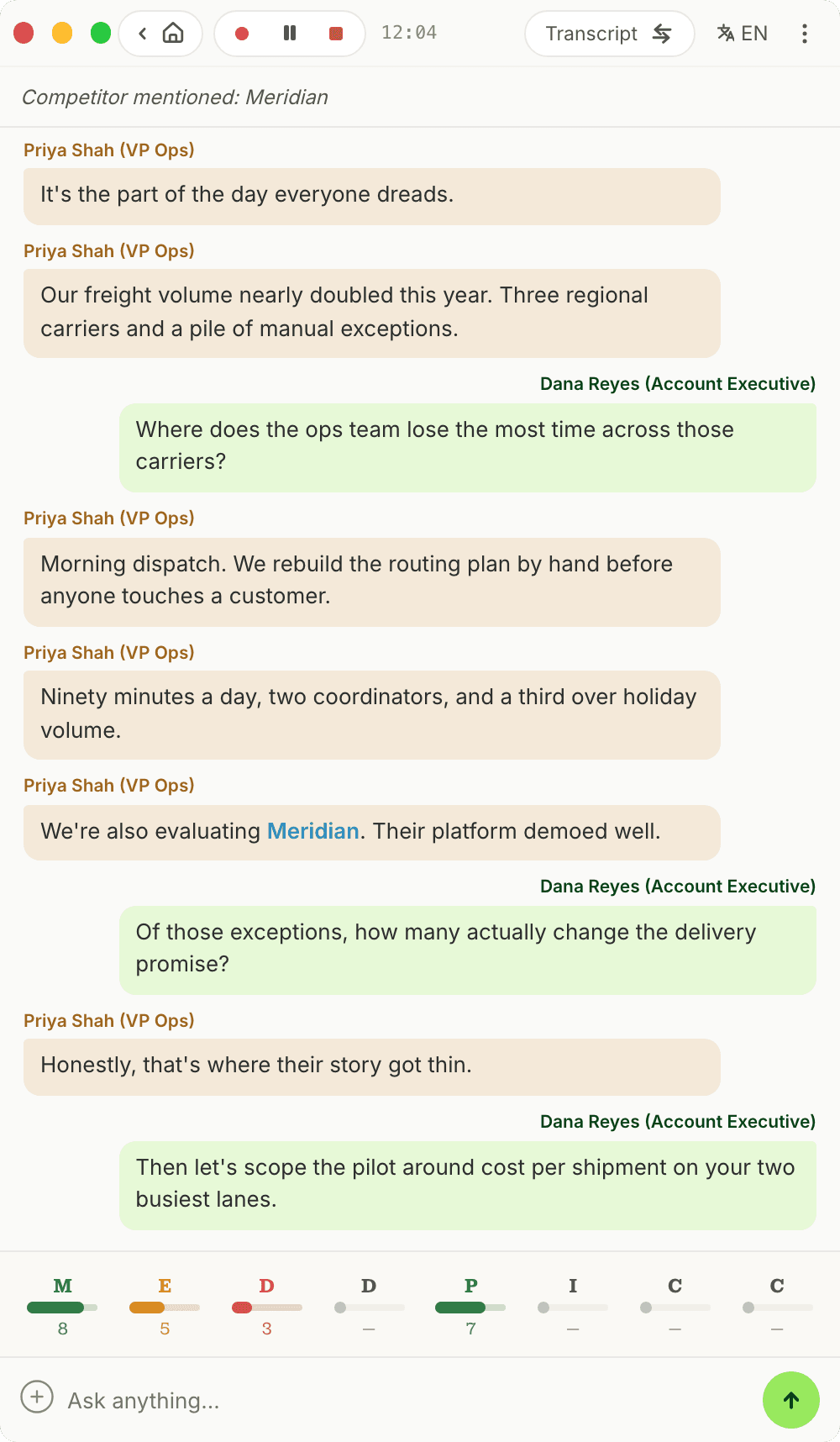
The panel sits beside your call and does three things while you talk:
- Transcribes the conversation live, so you never lose what was said
- Flags competitors the moment a prospect names one
- Scores MEDDPICC as the call goes, filling each letter from what the prospect actually tells you
The Ask anything bar at the bottom answers product questions mid-call.
Full walkthrough: During a Call
Sharing your screen?
We strongly recommend a dual-monitor setup and sharing a specific window (not your whole screen), so the prospect never sees Backdrop. If you only have one screen, turn on Hide from Screen.
3. Review after the call
When you hit stop, Backdrop generates a call summary, MEDDPICC qualification, and a draft follow-up email tailored to your product. Nothing sends automatically. You review and edit first.
Full walkthrough: After a Call
What to expect in week one
Backdrop is a new kind of tool, and like ChatGPT, it takes two or three calls before it clicks. Use the first call to get comfortable with where things are. By call three, most reps stop tab-switching entirely and run deeper discovery without thinking about it.
Home
Guides, setup steps, and integration docs for Backdrop, the AI sales coach that listens on your calls and surfaces the right question, objection handler, or product answer in real time.
Install Backdrop
Step-by-step guide to install Backdrop. Download the desktop app for Mac or Windows, sign in with your work email, and set up your screen for live sales calls.