Google Drive Integration: Share Docs with Backdrop
Share product docs, battlecards, and case studies from Google Drive so Backdrop can reference them during live sales calls. Read-only viewer access.
Get Your Service Account Email
- Request your service account email from your sales rep
Add Permissions
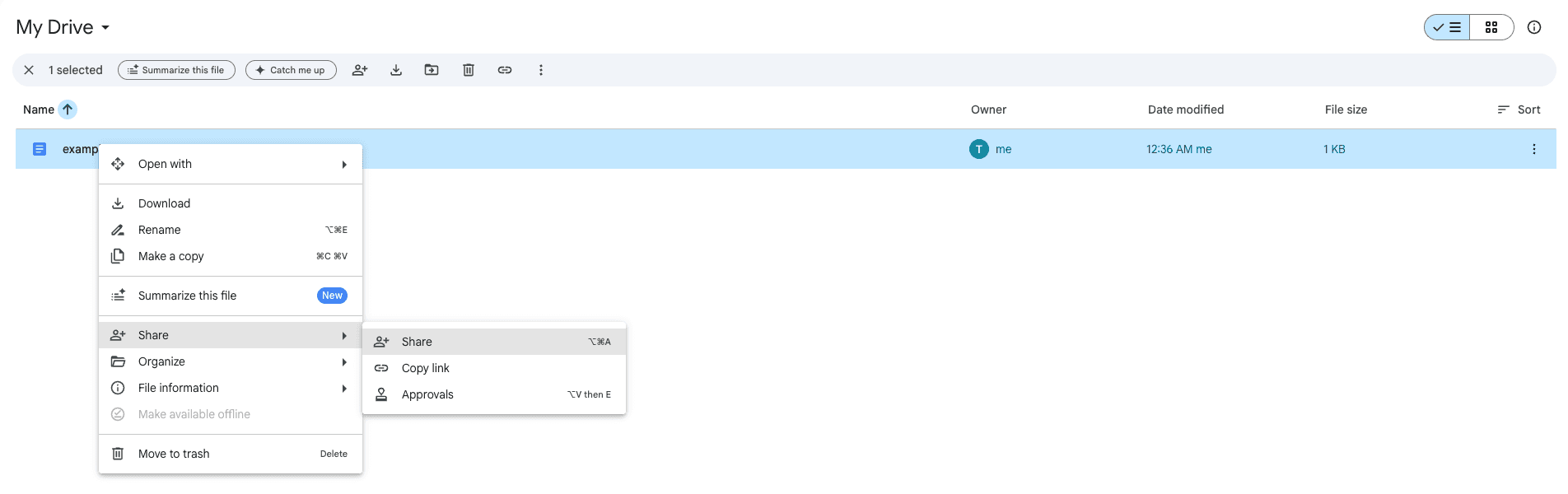
- Right-click the folder or file you want to share, then choose Share.
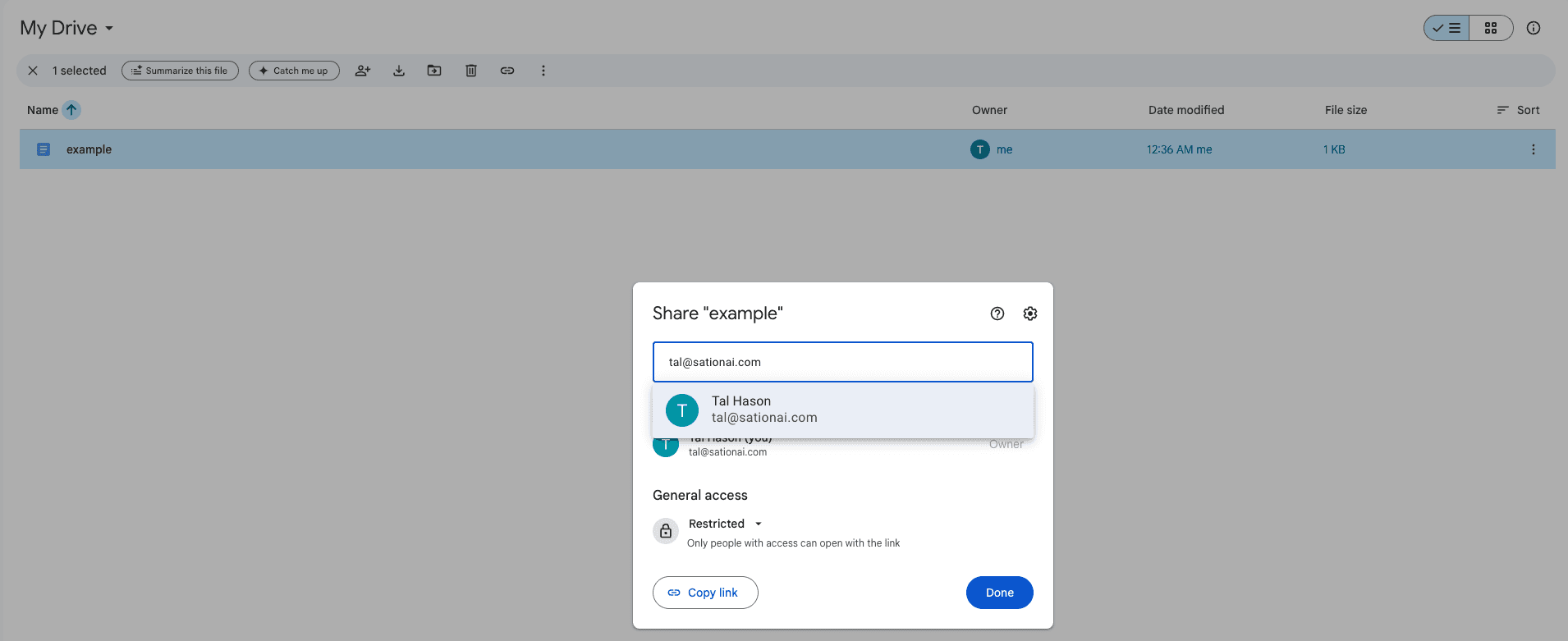
- Enter the service account address from step 1.
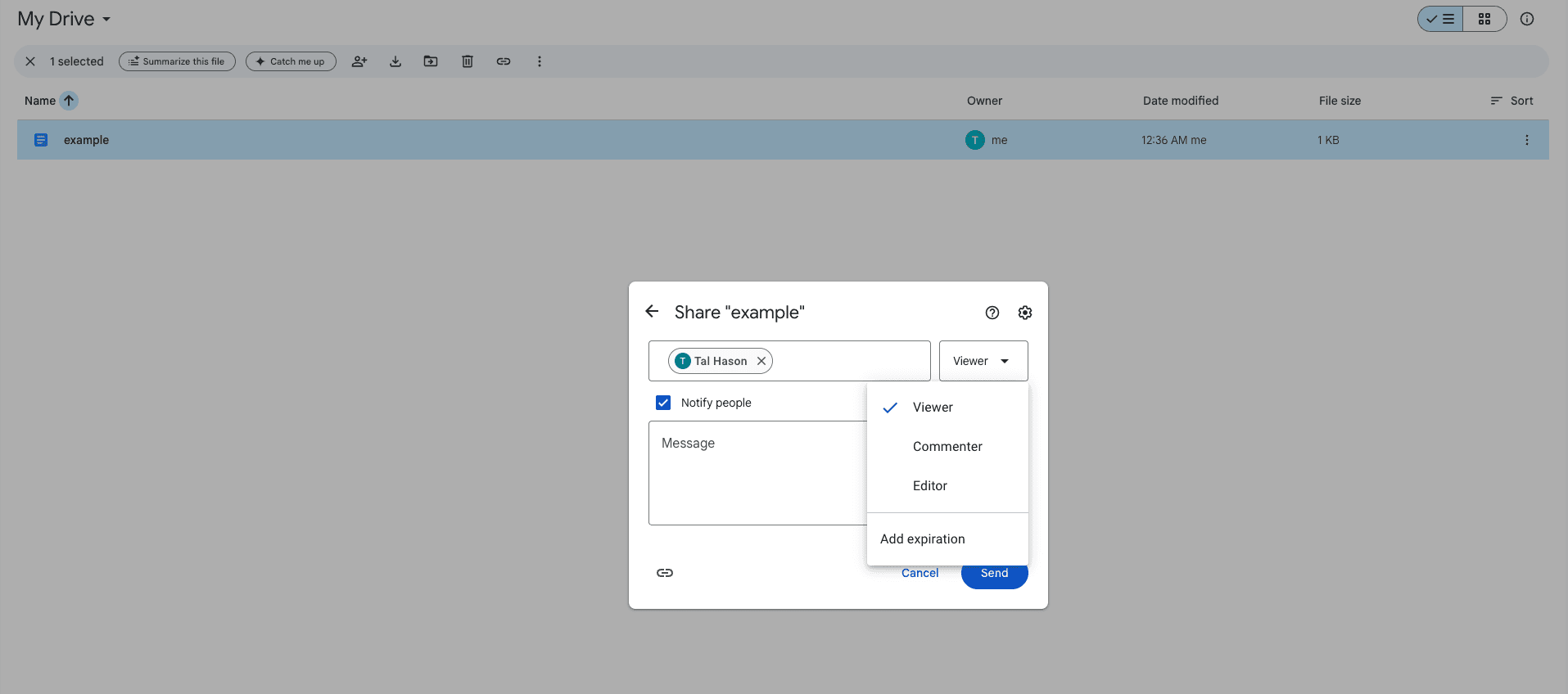
- From the role dropdown, select Viewer, then press Send.
Finish Backdrop Configuration
Notify your sales rep that you have finished adding files/folders.
Gong
Connect Gong to Backdrop so your team's recorded calls and transcripts power real-time answers. Admin setup with a Gong API access key and secret.
Grain
Connect Grain to Backdrop so your workspace's recorded calls and transcripts power real-time answers. Admin setup with a Grain Workspace Access Token.