Gong Integration: Connect Call Recordings to Backdrop
Connect Gong to Backdrop so your team's recorded calls and transcripts power real-time answers. Admin setup with a Gong API access key and secret.
With Gong connected, your team's recorded customer calls become a source Backdrop draws on: how prospects describe their pain, the objections that come up, and how your best reps answer them.
Who can set this up
A Backdrop workspace admin, with a Gong Technical Admin to create the API key. The connection is shared by everyone in your workspace.
Get a Gong API key
- Log in to your Gong account.
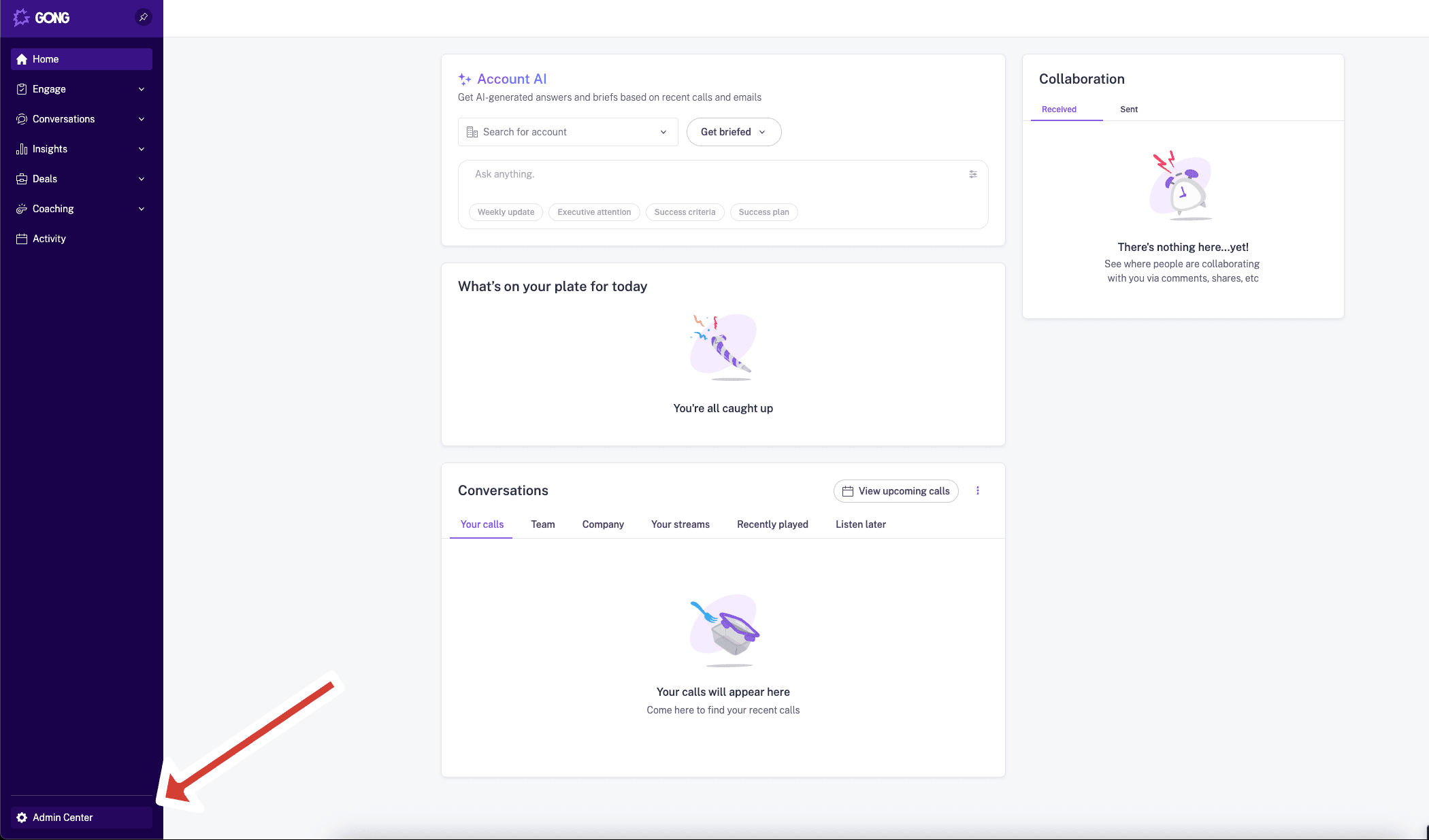
- In the bottom left corner of the page, click Admin Center.
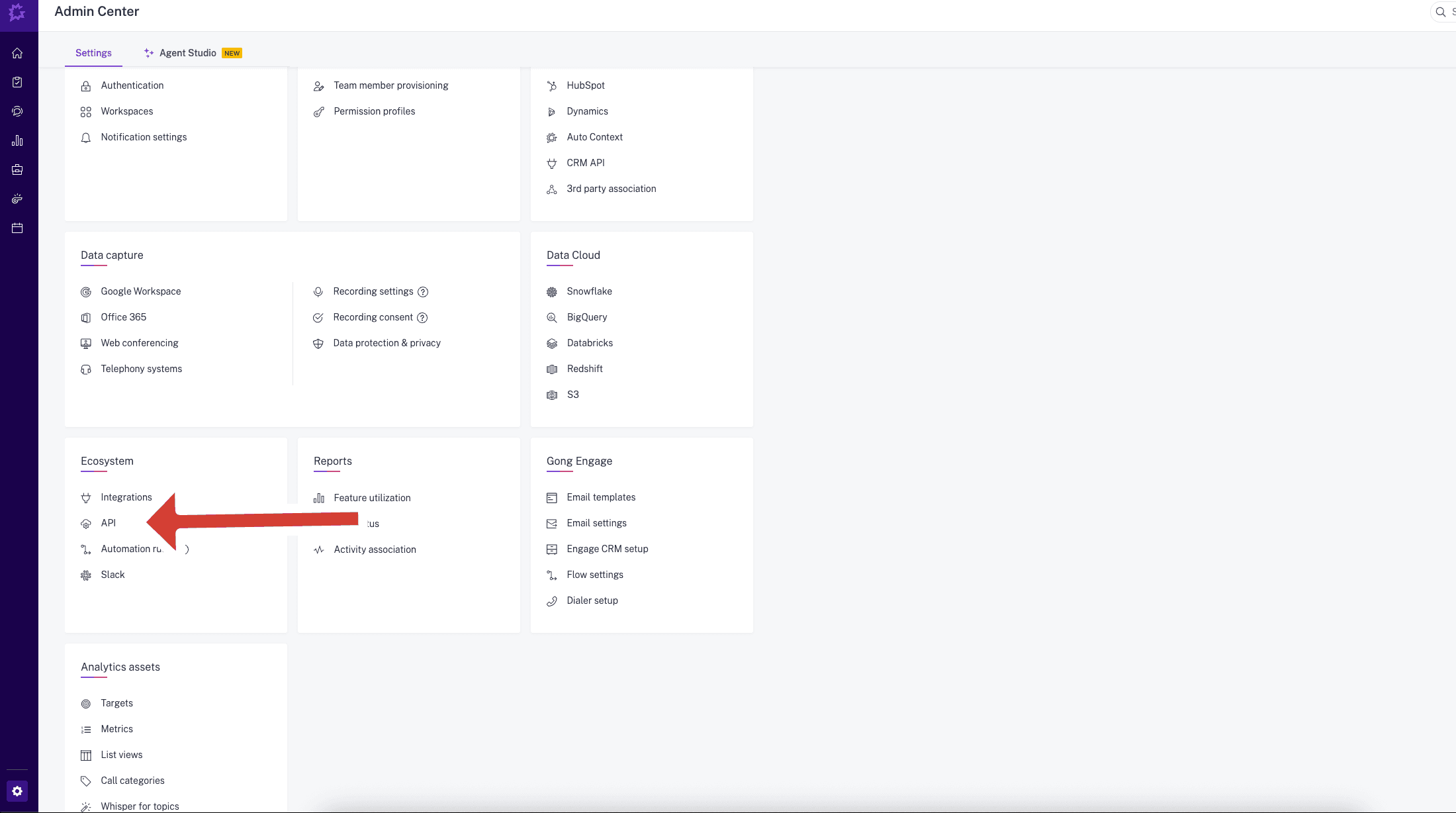
- In the Ecosystem section, click API.
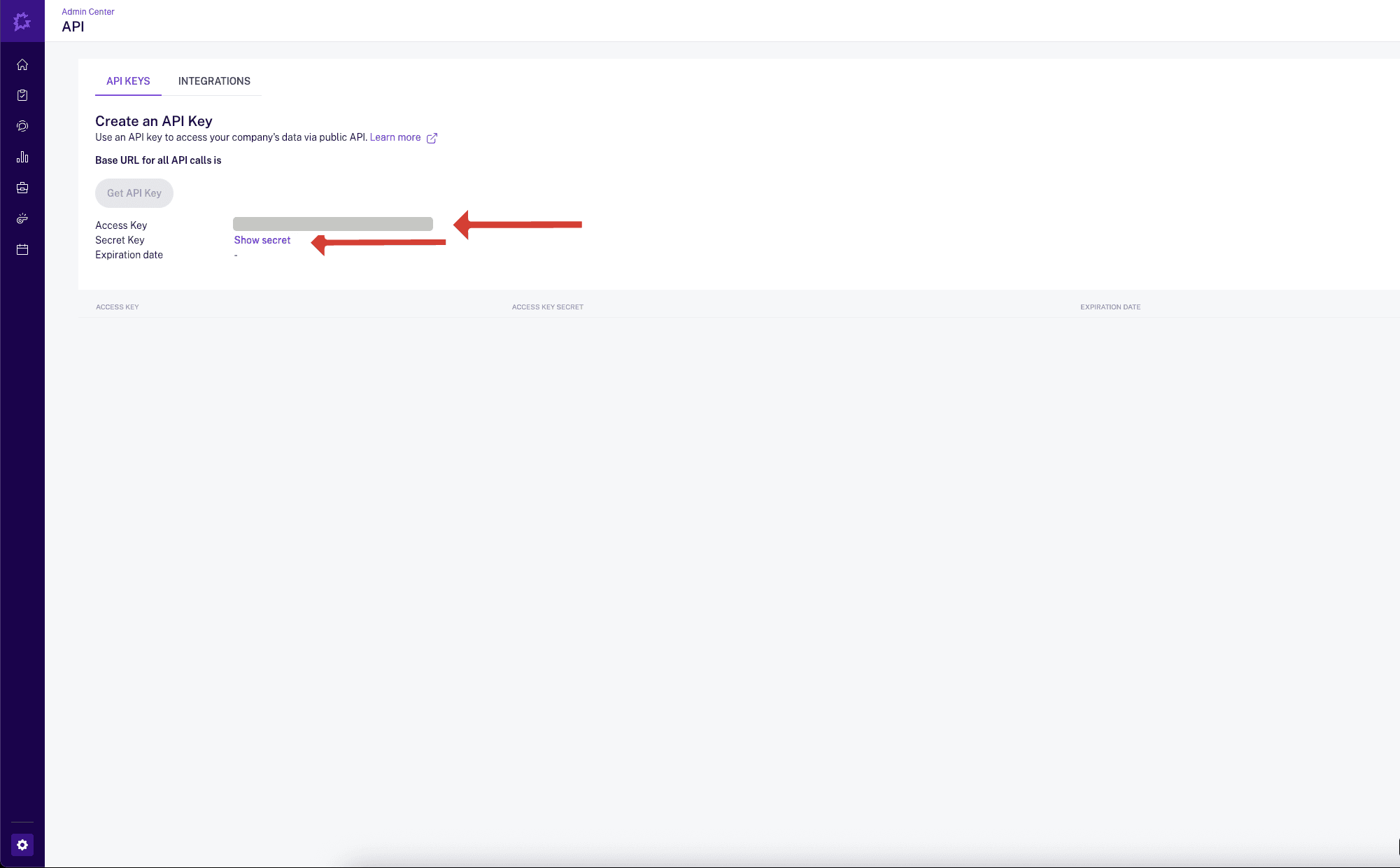
- Go to the API KEYS tab and click Get API Key. Copy the Access Key
and the Access Key Secret. Gong shows the secret only once.
Only Gong Technical Admins can create API keys. Gong also asks how long the key should last. When it expires, Backdrop stops receiving new calls until you connect a new key.
Connect Gong in Backdrop
- In the Backdrop app, open Knowledge from the sidebar.
- Find Gong and click Connect on its card.
- In the Everyone row, click Connect. A secure connection form opens in your browser.
- Enter your Access Key and Access Key Secret, and submit. Backdrop checks them with Gong before saving.
When the card turns green and reads For everyone, Gong is connected. If the form says Connection failed validation, Gong rejected the key: check both values, or create a new key and try again.
You don't need your Gong base URL, and the keys go straight into the secure form. There's no need to send them to anyone at Backdrop.
What Backdrop syncs
- Calls and their transcripts. The first sync reaches back 12 months.
- New calls every hour after that.
Disconnect Gong
- Open Knowledge and click Manage on the Gong card.
- In the Everyone row, click Disconnect, then confirm.
Backdrop stops receiving calls from Gong. To switch to a new API key, for example when the old one expires, disconnect, then connect again with the new key.
Fellow
Connect Fellow to Backdrop so your team's recorded meetings and transcripts power real-time answers. Admin setup with a Fellow API key and subdomain.
Google Drive
Share product docs, battlecards, and case studies from Google Drive so Backdrop can reference them during live sales calls. Read-only viewer access.